
Тривала відеозапис на iPhone: що треба оглянути перед початком

Creating an extended recording demands more meticulous preparation than producing a brief clip for instant messaging. Your phone’s battery life, storage capacity, heat management, and audio clarity are critical. For capturing a speech or a travelogue, it’s advisable to ready your iPhone 17 Pro Max from COMFY beforehand, equipping it with a MagSafe-compatible power bank, a USB-C cable, and ample space for ProRes or 4K footage. This ensures your recording isn’t prematurely halted during a pivotal moment.
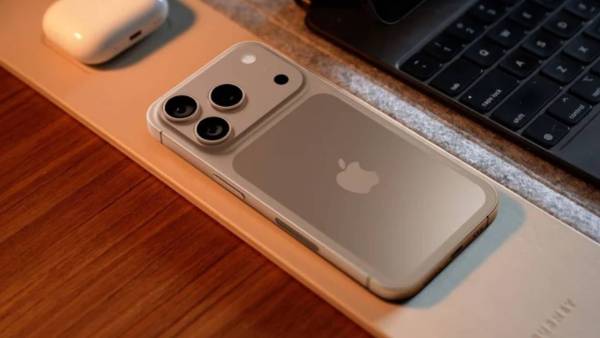
iphone 17 pro max в COMFY
How to Prepare Storage and Power Before Filming
Before commencing your shoot, purge redundant files, transfer existing archives, and ensure sufficient free space for system operations. Even with abundant storage, lengthy videos consume it rapidly. Power considerations should be addressed on-site. A cable is convenient when using a tripod, whereas a compact portable power bank is ideal for on-the-go shooting. In hot weather, avoid charging your phone under direct sunlight. For extended recording sessions, verify the following:
- available storage space and the locations of large video files;
- the charge level of your phone, portable charger, and wireless headphones;
- the recording mode, frame rate, and stabilization settings;
- the cleanliness of the lens, microphones, and protective glass;
- the functionality of the USB-C cable prior to the event’s commencement;
- focus settings to minimize interruptions from pop-up notifications.
After a test recording of one minute, review the footage with audio. If you detect interference or see shaky visuals, reposition yourself before initiating the primary recording.
What to Check in Stabilization, Audio, and Lighting
ProMotion and the vibrant OLED display aid in frame monitoring but deplete the battery. It’s best to maintain a brightness level sufficient for visual checks. Utilize the 5x zoom sparingly for capturing details, ensuring your hands or tripod are steady. Frequent zooming can make the resulting video more challenging to view and edit. For events like concerts, lectures, or children’s performances, select your filming location in advance. Constantly changing your position can lead to fluctuating audio levels and excessive camera movement in the footage.
Once you’ve finished recording, promptly save the extensive file to the cloud or your laptop. As long as the video remains solely on your phone, it’s vulnerable to accidental deletion alongside duplicate takes or unsuccessful segments. For extended recordings, it’s beneficial to pre-determine where the original material will be stored and where the edited version will reside. This prevents confusion between the full-length clip, the condensed edit, and copies intended for sharing after the event.
If you’re using a tripod, ensure the mount is stable and the tilt angle is correct. A slight misalignment becomes significantly more noticeable over an hour of recording. Before saving a lengthy video, give it a descriptive title. Including the date, location, and subject matter will help you locate the recording quickly weeks later. Extended videos are more reliable after a thorough check of your equipment, location, and power source. Such a review will indicate which charger, holder, or cable from comfy.ua is most suitable for your chosen filming format.